Pieces CLI Commands Reference | Pieces Docs
Full Pieces CLI command reference—materials, Copilot, cloud models, PiecesOS, and configuration options.
Pieces CLI Commands
Reference for every command available in the Pieces CLI, grouped by what you're trying to do.
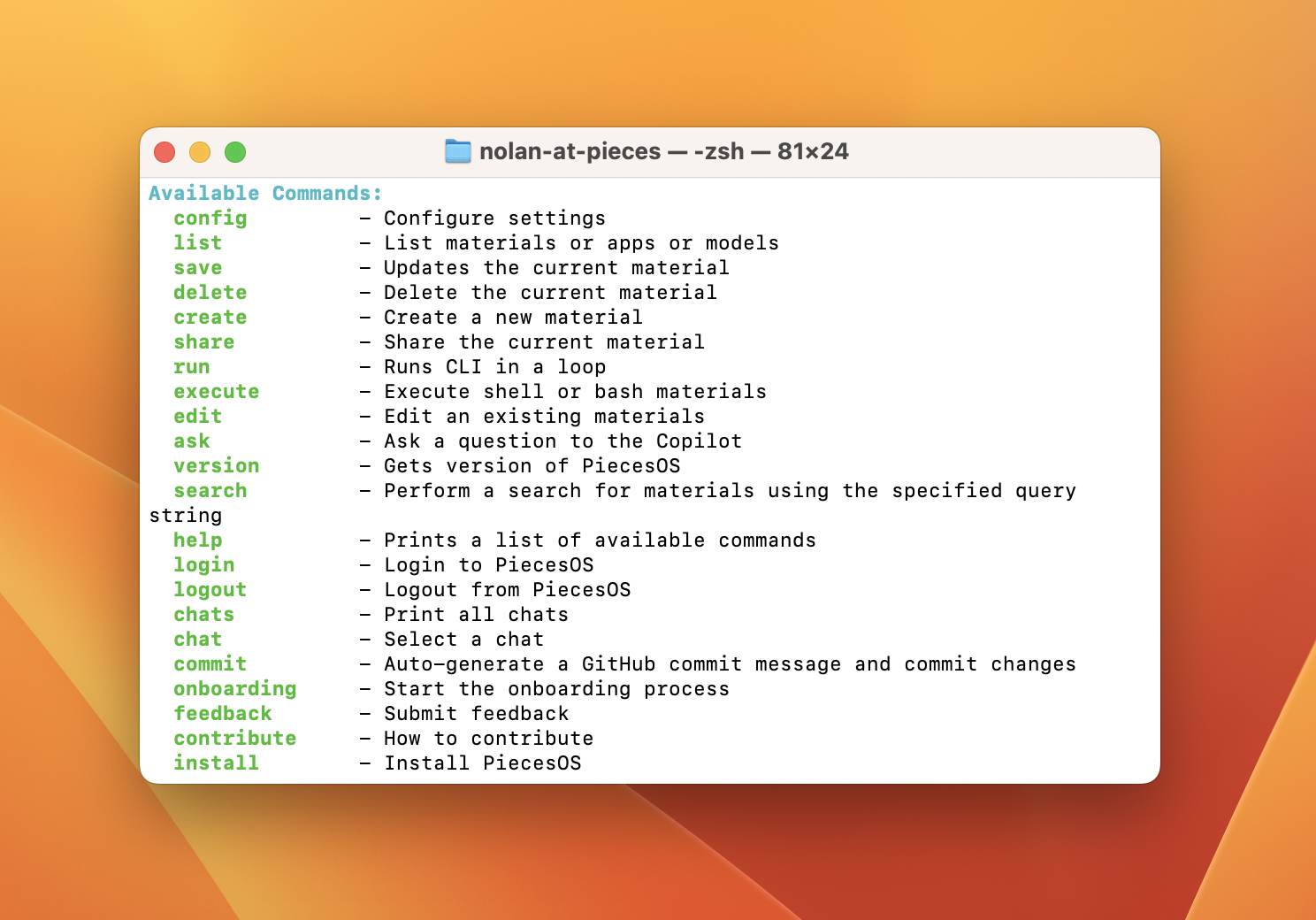
The
pieces helpmenu listing every command and flag.
Quick Reference
Run any command with the pieces prefix from a regular terminal (e.g., pieces ask "..."), or drop the prefix when you're inside pieces run loop mode. Type pieces help (or help inside loop mode) to view this list anytime.
| Command | Description |
|---|---|
run |
Start the CLI in loop mode |
list |
List materials in your Pieces Drive |
list apps |
List registered applications |
list models |
List configured AI models |
create |
Create a material from clipboard |
modify |
Update the current material's content |
edit |
Rename or reclassify the current material |
share |
Generate a shareable link for a material |
delete |
Delete the current material |
execute |
Run a saved bash material |
ask |
Send a question to Conversational Search |
search |
Fuzzy-search materials and chats |
chats |
List all past conversations |
chat |
Show or switch conversations |
config |
View or edit CLI configuration |
commit |
Commit to GitHub with an auto-generated message |
login |
Log in to your Pieces account |
logout |
Log out of your Pieces account |
open |
Open PiecesOS or its Applet |
clear |
Clear the terminal screen |
version |
Show installed CLI and PiecesOS versions |
help |
Display the help menu |
onboarding |
Walk through first-run setup |
feedback |
Send feedback to the Pieces team |
contribute |
Contribute to the CLI project |
Materials
Manage saved code, text, and bash materials in your Pieces Drive.
```bash
pieces list
```
```bash
pieces list apps
```
```bash
pieces create
```
```bash
pieces modify
```
```bash
pieces edit
```
```bash
pieces share
```
```bash
pieces delete
```
```bash
pieces execute
```
AI & Search
Send questions to Conversational Search, search across your data, and pick which model responds.
```bash
pieces ask "How do I parse JSON in Python?"
```

Optional flags:

- `-m`, `--materials` — attach saved materials by index (e.g., `-m 1 2`)
- `-f`, `--file` — attach files or folders by absolute or relative path

```bash
pieces ask "Refactor this function" -f ./src/utils.py
```
```bash
pieces search "auth middleware"
```

Optional `--mode` flags:

- `--mode ncs` — Neural Code Search (semantic)
- `--mode fts` — Full-Text Search (literal)

```bash
pieces search "auth middleware" --mode ncs
```
```bash
pieces list models
```
Conversations
Browse, switch between, and manage your Conversational Search threads.
```bash
pieces chats
```
```bash
pieces chat
pieces chat 3
```

Conversation-management flags (use inside the active chat):

- `-n` — start a new conversation
- `-d` — delete the current conversation
- `-r "<name>"` — rename the current conversation

```bash
pieces chat -r "Project Ideas"
```
Configuration
View and edit CLI settings, including which code editor opens your config file.
```bash
pieces config
```
```bash
pieces config --editor code
```
Account & Git
Sign in to Pieces Cloud and commit code to GitHub with an auto-generated message.
```bash
pieces login
```
```bash
pieces logout
```
```bash
pieces commit
pieces commit --push
```
Setup & System
Install the CLI, launch the loop, and access help, version, and feedback utilities.
```bash
pip install pieces-cli
```

```bash
conda install pieces-cli
```
```bash
pieces run
```
```bash
pieces open
```
```bash
pieces clear
```
```bash
pieces version
```
```bash
pieces help
```
```bash
pieces onboarding
```
```bash
pieces feedback
```
```bash
pieces contribute
```
Next Steps
Want to see these commands in context? Read about Conversational Search for ask, search, and chat, Pieces Drive for material commands, or the full Configuration walkthrough.